140行Python程式碼實現Flippy Bird
- 2020 年 4 月 5 日
- 筆記
140行程式碼實現Flippy Bird
話說這遊戲中文名叫什麼來著,死活想不起來了,算了話不多說,140行實現小遊戲系列第二章,依然是簡單小遊戲,與數獨遊戲相比,在遊戲介面顯示上更難一些,但是在邏輯方面更簡單一些,需要處理的無非是速度、加速度、時間、位置、碰撞檢測,介面方面則要實現整個動態的顯示;
依舊在最後會給出全部程式碼,不過依然可以從我的Github倉庫Fork下來直接運行,圖片資源也在那裡,have fun.
運行以及玩法:
- python main.py運行遊戲;
- 滑鼠點擊是暫停,再點擊則是繼續;
- 空格鍵進行跳躍;
後續擴展:
- 管道的出現可以更加隨機,包括位置和長度等,目前是很簡單的方式出現;
- 遊戲速度可以越來越快,目前是固定的;
- 小鳥的自由落體速度、跳躍速度等需要優化,目前操作感覺沒有那麼流暢;
- 增加計分系統、開始、重來等按鈕;
小鳥圖,需要的自取

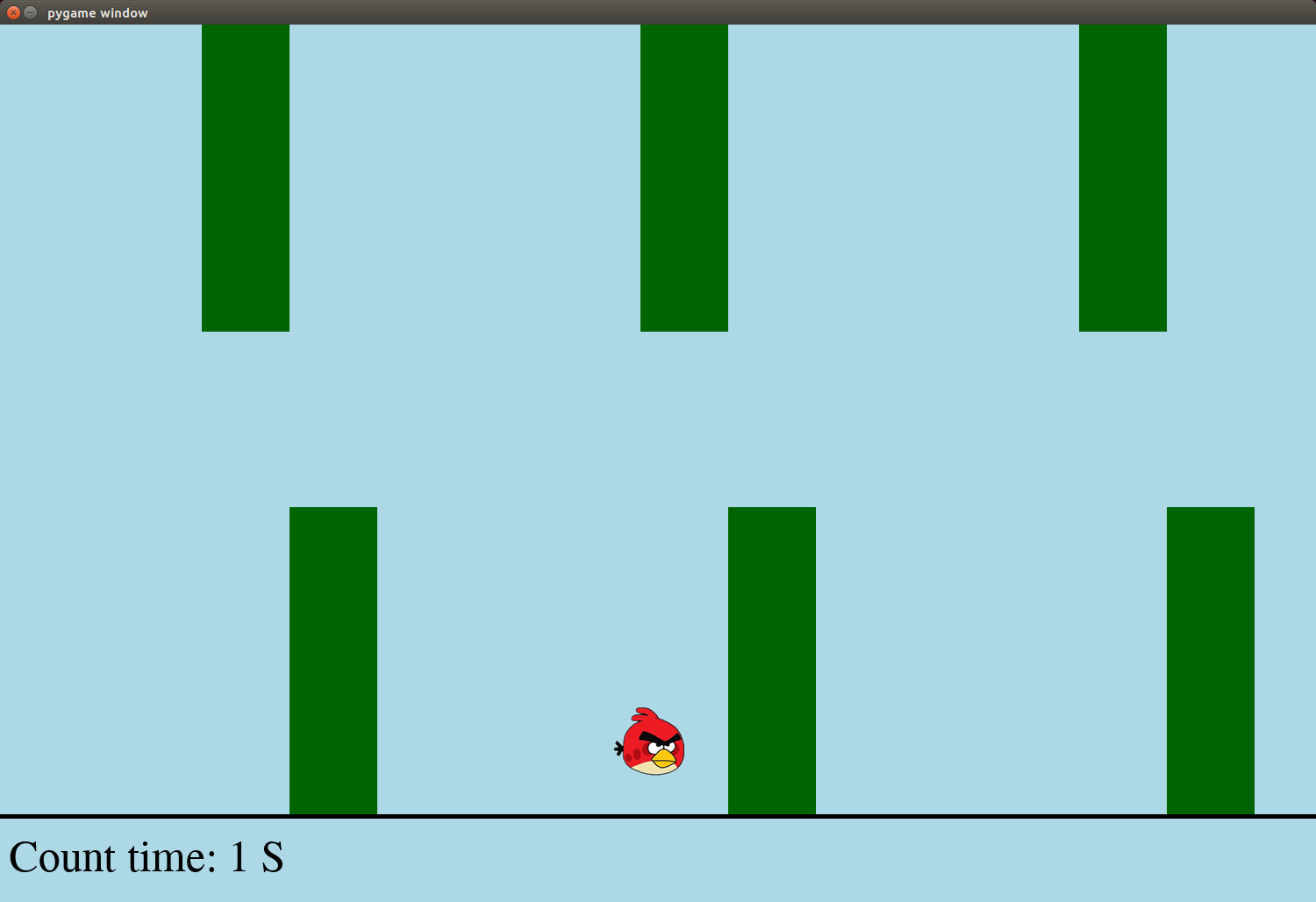
遊戲截圖
進行中
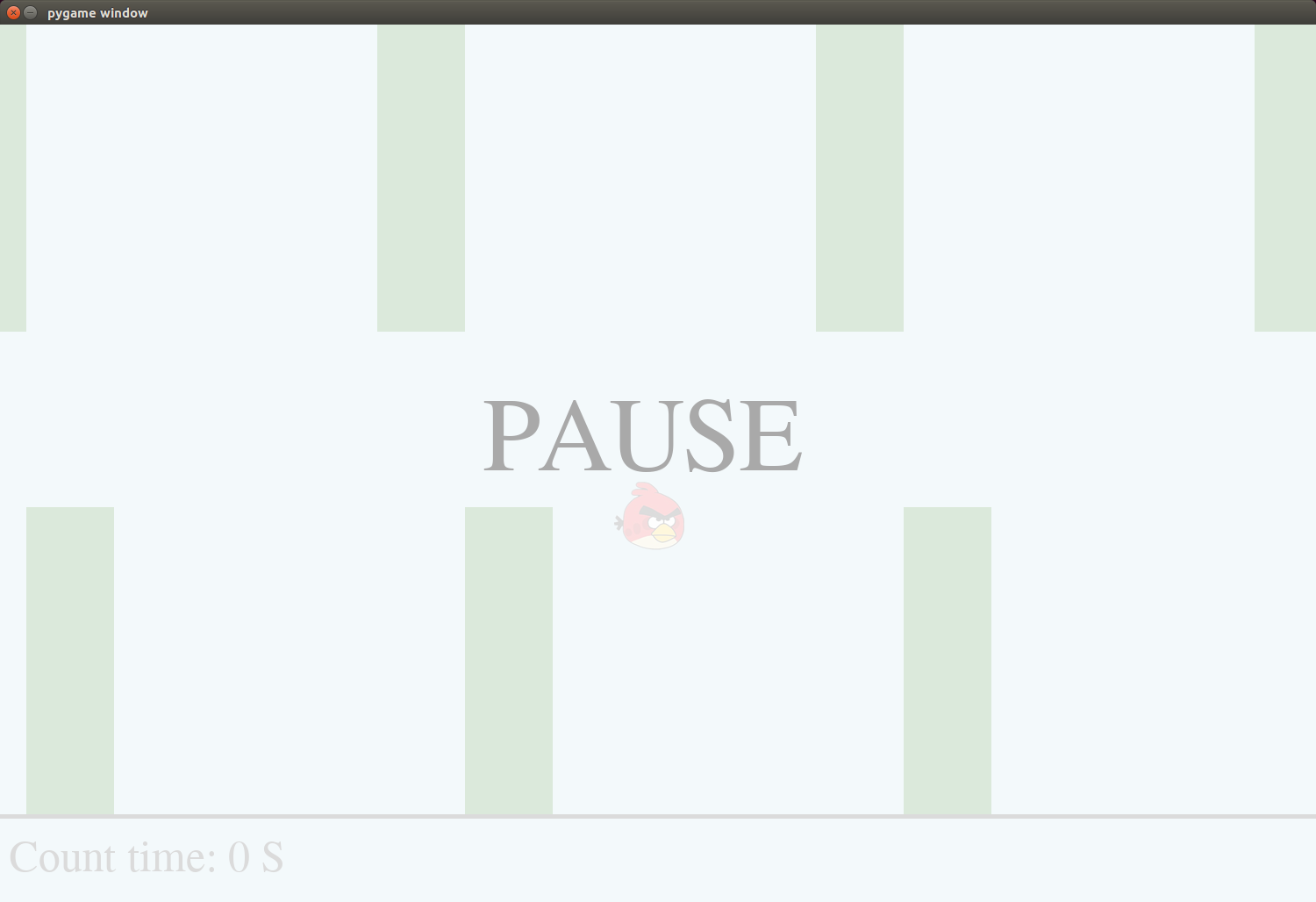
暫停時
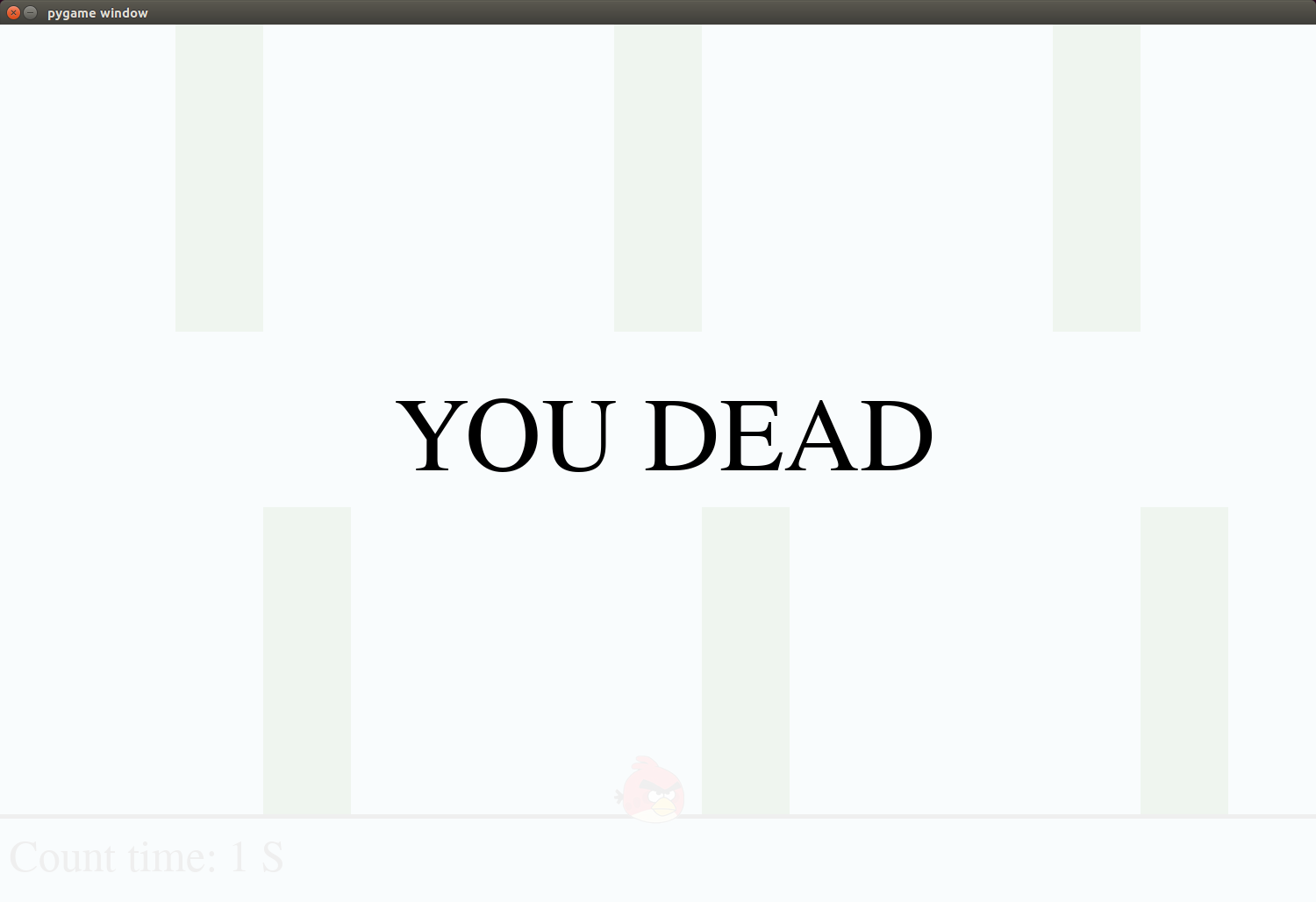
死亡時
關鍵程式碼分析
隨時間移動的管道
可以看到對於這個遊戲,實際上移動的是管道而不是小鳥,因此這裡主要是處理管道繪製的位置變化,以及整個一個循環的過程,如果螢幕上顯示的管道是N個,那麼可以想像是N+2個管道在不停地轉圈圈出現在我們的介面上就行了;
tunnel_list = [x-speed if x-speed>-200 else 2100 for x in tunnel_list ] def draw_tunnel(): for x in tunnel_list: pygame.draw.rect(screen,COLORS['darkgreen'],(x,0,100,350),0) pygame.draw.rect(screen,COLORS['darkgreen'],(x+100,550,100,350),0) 自由落體的小鳥和點擊空格後跳起
不操作的情況下,小鳥的上下移動是做自由落體,也就是越來越快的下降的過程,而當我們點擊空格進行跳躍後,實際上改變的就是小鳥的當前速度,因此小鳥會向上越來越慢的跳躍,直到速度為0後,繼續下降,符合基本的物理規則;
G = 9.8*30 # g JUMP_V = -300 bird_x,bird_y = 700,450 bird_v = 0 if not jump: bird_v += G*frame else: bird_v = JUMP_V jump = False bird_y += frame*bird_v def draw_bird(): screen.blit(birdImg,[bird_x,bird_y]) 碰撞檢測
檢測小鳥是否碰到管道或者是掉到地上,這麼說是只無腳鳥咯,實際上就是檢測兩個矩形是否有重疊的部分;
def rect_cover(rect1,rect2,up=True): # bird left_up1 = (rect1[0],rect1[1]) left_down1 = (rect1[0],left_up1[1]+rect1[3]) right_up1 = (left_up1[0]+rect1[2],rect1[1]) right_down1 = (left_up1[0]+rect1[2],left_up1[1]+rect1[3]) # tunnel left_up2 = (rect2[0],rect2[1]) left_down2 = (rect2[0],left_up2[1]+rect2[3]) right_up2 = (left_up2[0]+rect2[2],rect2[1]) right_down2 = (left_up2[0]+rect2[2],left_up2[1]+rect2[3]) # check if (left_up2[0]<=right_up1[0]<=right_up2[0]): # x,肯定是右側線接觸,因此判斷bird的right即可 if up and (left_up2[1]<=right_up1[1]<=left_down2[1]): return True elif (not up) and (left_up2[1]<=right_down1[1]<=left_down2[1]): return True return False pygame繪製rect不支援透明度下實現的透明圖層
看到,實際上是藉助了Surface,將其設置為想要的透明度後blit到我們的screen上即可,直接draw rect是不支援RGBA的A設置alpha的,不知道為啥這麼坑爹的設計;
def draw_dead(): s = pygame.Surface(SIZE, pygame.SRCALPHA) s.fill((255,255,255,240)) screen.blit(s, (0,0)) txt = font120.render('YOU DEAD',True,COLORS['black']) x,y = 450,400 screen.blit(txt,(x,y)) 全部程式碼
import sys import pygame from pygame.color import THECOLORS as COLORS def draw_background(): # white background screen.fill(COLORS['lightblue']) pygame.draw.rect(screen,COLORS['black'],(-100,902,3000,200),5) def draw_tunnel(): for x in tunnel_list: pygame.draw.rect(screen,COLORS['darkgreen'],(x,0,100,350),0) pygame.draw.rect(screen,COLORS['darkgreen'],(x+100,550,100,350),0) def draw_bird(): screen.blit(birdImg,[bird_x,bird_y]) def draw_context(): txt = font50.render('Count time: '+str(int(count_time))+' S',True,COLORS['black']) x,y = 10,920 screen.blit(txt,(x,y)) def draw_pause(): s = pygame.Surface(SIZE, pygame.SRCALPHA) s.fill((255,255,255,220)) screen.blit(s, (0,0)) txt = font120.render('PAUSE',True,COLORS['darkgray']) x,y = 550,400 screen.blit(txt,(x,y)) def draw_dead(): s = pygame.Surface(SIZE, pygame.SRCALPHA) s.fill((255,255,255,240)) screen.blit(s, (0,0)) txt = font120.render('YOU DEAD',True,COLORS['black']) x,y = 450,400 screen.blit(txt,(x,y)) def rect_cover(rect1,rect2,up=True): # bird left_up1 = (rect1[0],rect1[1]) left_down1 = (rect1[0],left_up1[1]+rect1[3]) right_up1 = (left_up1[0]+rect1[2],rect1[1]) right_down1 = (left_up1[0]+rect1[2],left_up1[1]+rect1[3]) # tunnel left_up2 = (rect2[0],rect2[1]) left_down2 = (rect2[0],left_up2[1]+rect2[3]) right_up2 = (left_up2[0]+rect2[2],rect2[1]) right_down2 = (left_up2[0]+rect2[2],left_up2[1]+rect2[3]) # check if (left_up2[0]<=right_up1[0]<=right_up2[0]): # x,肯定是右側線接觸,因此判斷bird的right即可 if up and (left_up2[1]<=right_up1[1]<=left_down2[1]): return True elif (not up) and (left_up2[1]<=right_down1[1]<=left_down2[1]): return True return False def check_dead(): bird_rect = (bird_x,bird_y,70,70) if bird_rect[1]+bird_rect[3]>900: return True for x in tunnel_list: up_rect = (x,0,100,350) down_rect = (x+100,550,100,350) if rect_cover(bird_rect,up_rect) or rect_cover(bird_rect,down_rect,up=False): return True return False if __name__ == "__main__": # init pygame pygame.init() # contant SIZE = [1500,1000] font50 = pygame.font.SysFont('Times', 50) font120 = pygame.font.SysFont('Times', 120) G = 9.8*30 # g JUMP_V = -300 # brid birdPath = 'bird.png' birdImg = pygame.image.load(birdPath) # tunnel tunnel_list = [100,600,1100,1600,2100] # create screen 500*500 screen = pygame.display.set_mode(SIZE) # variable parameter bird_x,bird_y = 700,450 bird_v = 0 count_time = 0 # level speed = 5 frame = 0.02 # main loop running = True pause = False jump = False dead = False while running: for event in pygame.event.get(): if event.type == pygame.QUIT: running = False break elif event.type == pygame.MOUSEBUTTONDOWN: pause = not pause elif event.type == pygame.KEYUP: if chr(event.key) == ' ': jump = True # update data if not pause and not dead: count_time += frame tunnel_list = [x-speed if x-speed>-200 else 2100 for x in tunnel_list ] if not jump: bird_v += G*frame else: bird_v = JUMP_V jump = False bird_y += frame*bird_v # background draw_background() # tunnel draw_tunnel() # choose item draw_bird() # point draw_context() # pause if not dead and pause: draw_pause() # dead if dead: draw_dead() # flip pygame.display.flip() # pause 20ms pygame.time.delay(int(frame*1000)) # check win or not if check_dead(): #print('You dead, dumb ass!!!') #break dead = True pygame.quit() 最後
數獨和FlippyBird都在這裡,歡迎大家Fork下來直接運行,後續會不定期更新其他小遊戲,目前以簡單的動作小遊戲、棋牌類為主,想到啥做啥,或者大家有什麼想做想玩的可以評論區告訴我哈,搞得定的我會儘快完成;
最後的最後
大家可以到我的Github上看看有沒有其他需要的東西,目前主要是自己做的機器學習項目、Python各種腳本工具、有意思的小項目以及Follow的大佬、Fork的項目等:
https://github.com/NemoHoHaloAi

