ElasticSearch實戰
- 2022 年 3 月 27 日
- 筆記
- ElasticSearch7.6.x學習
ElasticSearch實戰
kibana: //www.elastic.co/cn/kibana
鏈接://pan.baidu.com/s/1qmXNZBVGrcp0fuo9bBqrRA 提取碼:6zpo --來自百度網盤超級會員V5的分享 來自狂神公眾號
防京東商城搜索(高亮)
1、工程創建(springboot)
創建過程略
目錄結構
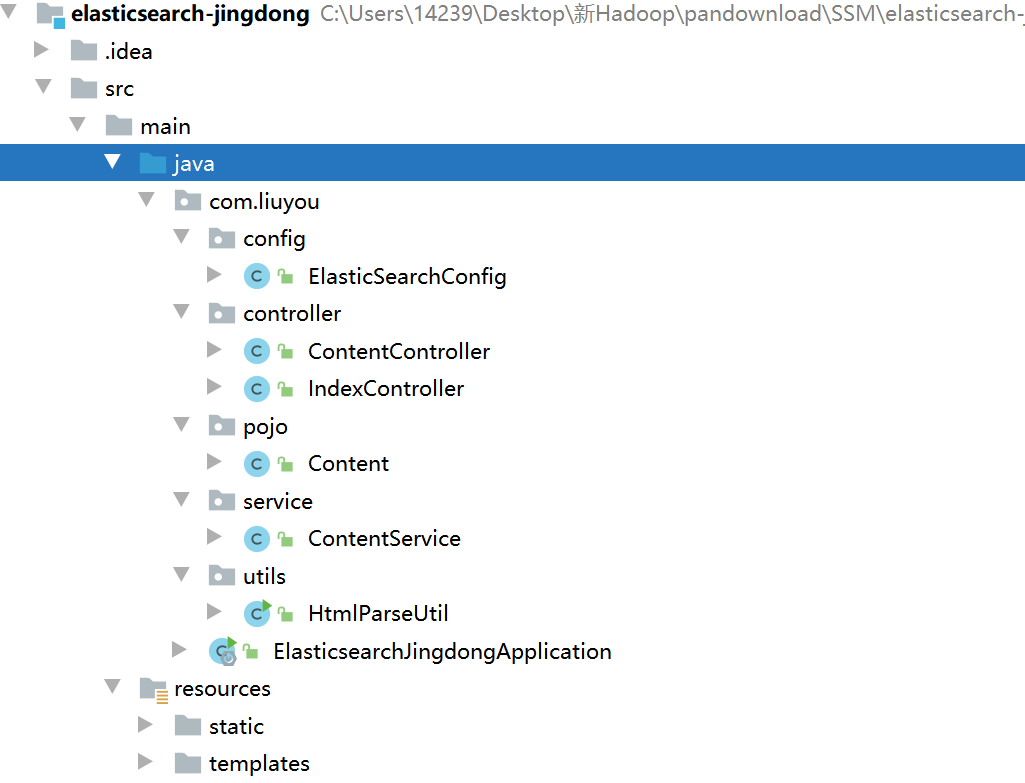
2、基本編碼
①導入依賴
<properties><java.version>1.8</java.version><elasticsearch.version>7.6.1</elasticsearch.version></properties><dependencies><!-- jsoup解析頁面 --><!-- 解析網頁 爬影片可 研究tiko --><dependency><groupId>org.jsoup</groupId><artifactId>jsoup</artifactId><version>1.10.2</version></dependency><!-- fastjson --><dependency><groupId>com.alibaba</groupId><artifactId>fastjson</artifactId><version>1.2.70</version></dependency><!-- ElasticSearch --><dependency><groupId>org.springframework.boot</groupId><artifactId>spring-boot-starter-data-elasticsearch</artifactId></dependency><!-- thymeleaf --><dependency><groupId>org.springframework.boot</groupId><artifactId>spring-boot-starter-thymeleaf</artifactId></dependency><!-- web --><dependency><groupId>org.springframework.boot</groupId><artifactId>spring-boot-starter-web</artifactId></dependency><!-- devtools熱部署 --><dependency><groupId>org.springframework.boot</groupId><artifactId>spring-boot-devtools</artifactId><scope>runtime</scope><optional>true</optional></dependency><!-- --><dependency><groupId>org.springframework.boot</groupId><artifactId>spring-boot-configuration-processor</artifactId><optional>true</optional></dependency><!-- lombok 需要安裝插件 --><dependency><groupId>org.projectlombok</groupId><artifactId>lombok</artifactId><optional>true</optional></dependency><!-- test --><dependency><groupId>org.springframework.boot</groupId><artifactId>spring-boot-starter-test</artifactId><scope>test</scope></dependency></dependencies>
②導入前端素材
略
③編寫 application.preperties配置文件
# 更改埠,防止衝突server.port=9999# 關閉thymeleaf快取spring.thymeleaf.cache=false
④測試controller和view
@Controllerpublic class IndexController {@GetMapping({"/","index"})public String index(){return "index";}}
訪問 localhost:9999
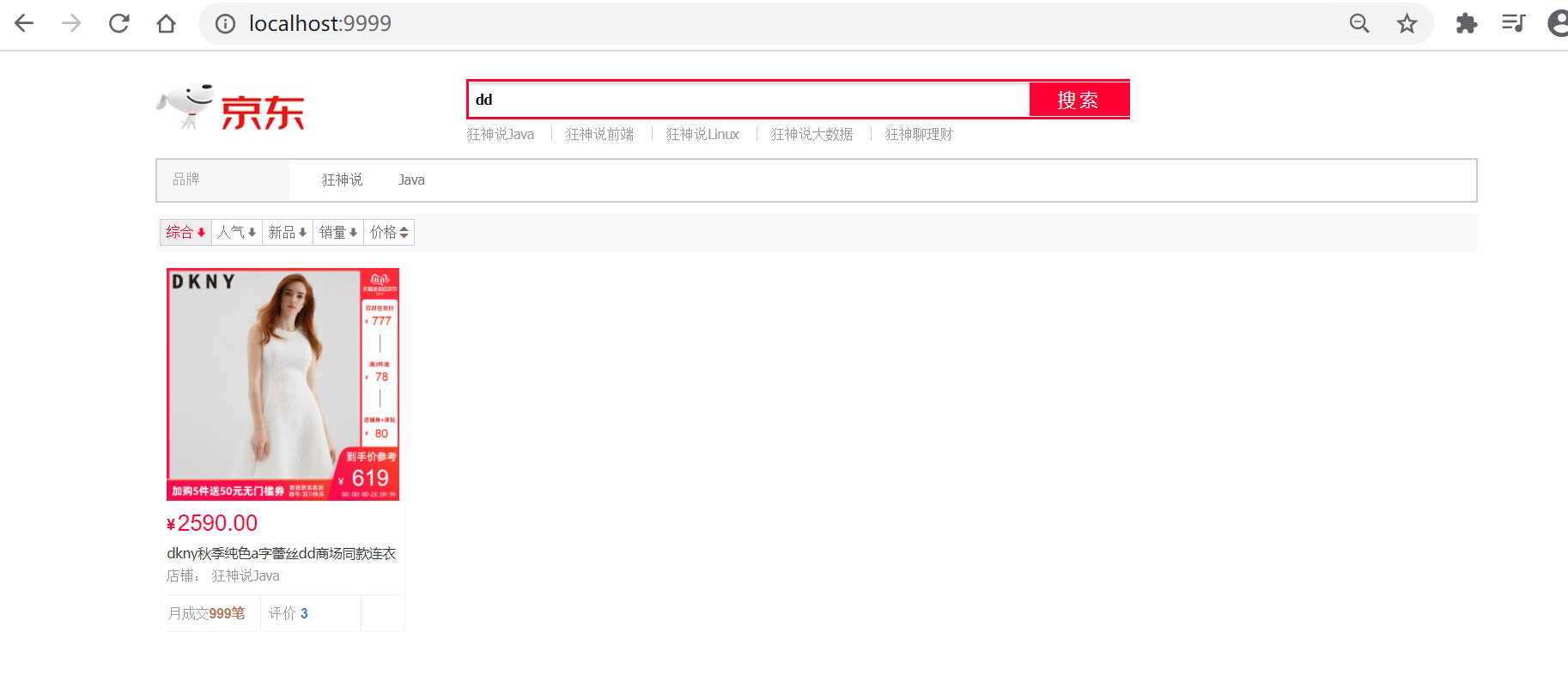
到這裡可以先去編寫爬蟲,編寫之後,回到這裡
⑤編寫Config
@Configurationpublic class ElasticSearchConfig {@Beanpublic RestHighLevelClient restHighLevelClient(){RestHighLevelClient client = new RestHighLevelClient(RestClient.builder(new HttpHost("127.0.0.1",9200,"http")));return client;}}
⑥編寫service
因為是爬取的數據,那麼就不走Dao,以下編寫都不會編寫介面,開發中必須嚴格要求編寫
ContentService
@Servicepublic class ContentService {@Autowiredprivate RestHighLevelClient restHighLevelClient;// 1、解析數據放入 es 索引中public Boolean parseContent(String keyword) throws IOException {// 獲取內容List<Content> contents = HtmlParseUtil.parseJD(keyword);// 內容放入 es 中BulkRequest bulkRequest = new BulkRequest();bulkRequest.timeout("2m"); // 可更具實際業務是指for (int i = 0; i < contents.size(); i++) {bulkRequest.add(new IndexRequest("jd_goods").id(""+(i+1)).source(JSON.toJSONString(contents.get(i)), XContentType.JSON));}BulkResponse bulk = restHighLevelClient.bulk(bulkRequest, RequestOptions.DEFAULT);restHighLevelClient.close();return !bulk.hasFailures();}// 2、根據keyword分頁查詢結果public List<Map<String, Object>> search(String keyword, Integer pageIndex, Integer pageSize) throws IOException {if (pageIndex < 0){pageIndex = 0;}SearchRequest jd_goods = new SearchRequest("jd_goods");// 創建搜索源建造者對象SearchSourceBuilder searchSourceBuilder = new SearchSourceBuilder();// 條件採用:精確查詢 通過keyword查欄位nameTermQueryBuilder termQueryBuilder = QueryBuilders.termQuery("name", keyword);searchSourceBuilder.query(termQueryBuilder);searchSourceBuilder.timeout(new TimeValue(60, TimeUnit.SECONDS));// 60s// 分頁searchSourceBuilder.from(pageIndex);searchSourceBuilder.size(pageSize);// 高亮// ....// 搜索源放入搜索請求中jd_goods.source(searchSourceBuilder);// 執行查詢,返回結果SearchResponse searchResponse = restHighLevelClient.search(jd_goods, RequestOptions.DEFAULT);restHighLevelClient.close();// 解析結果SearchHits hits = searchResponse.getHits();List<Map<String,Object>> results = new ArrayList<>();for (SearchHit documentFields : hits.getHits()) {Map<String, Object> sourceAsMap = documentFields.getSourceAsMap();results.add(sourceAsMap);}// 返回查詢的結果return results;}}
⑦編寫controller
@Controllerpublic class ContentController {@Autowiredprivate ContentService contentService;@ResponseBody@GetMapping("/parse/{keyword}")public Boolean parse(@PathVariable("keyword") String keyword) throws IOException {return contentService.parseContent(keyword);}@ResponseBody@GetMapping("/search/{keyword}/{pageIndex}/{pageSize}")public List<Map<String, Object>> parse(@PathVariable("keyword") String keyword,@PathVariable("pageIndex") Integer pageIndex,@PathVariable("pageSize") Integer pageSize) throws IOException {return contentService.search(keyword,pageIndex,pageSize);}}
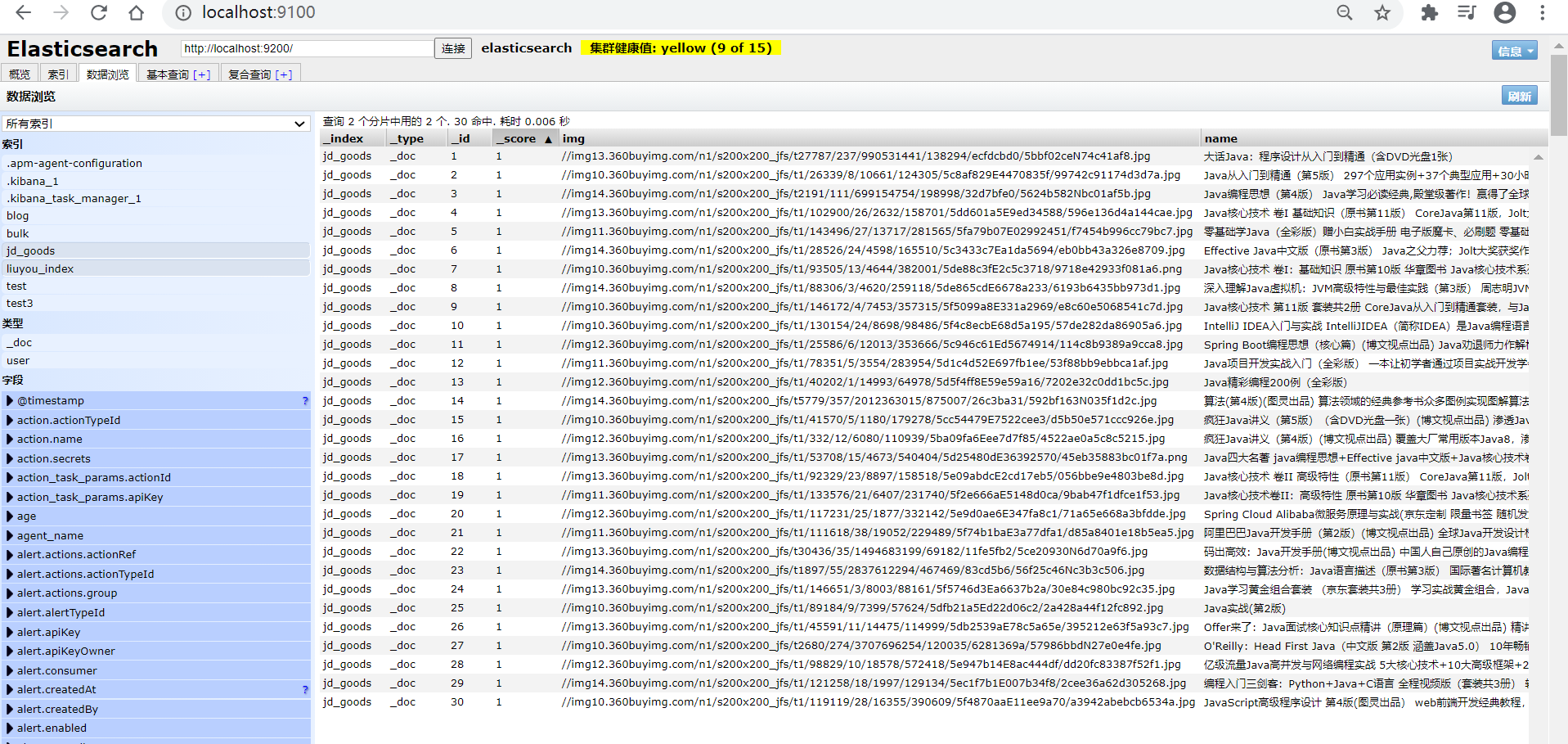
⑧測試結果
1、解析數據放入 es 索引中

2、根據keyword分頁查詢結果

3、爬蟲(jsoup)
數據獲取:資料庫、消息隊列、爬蟲、…
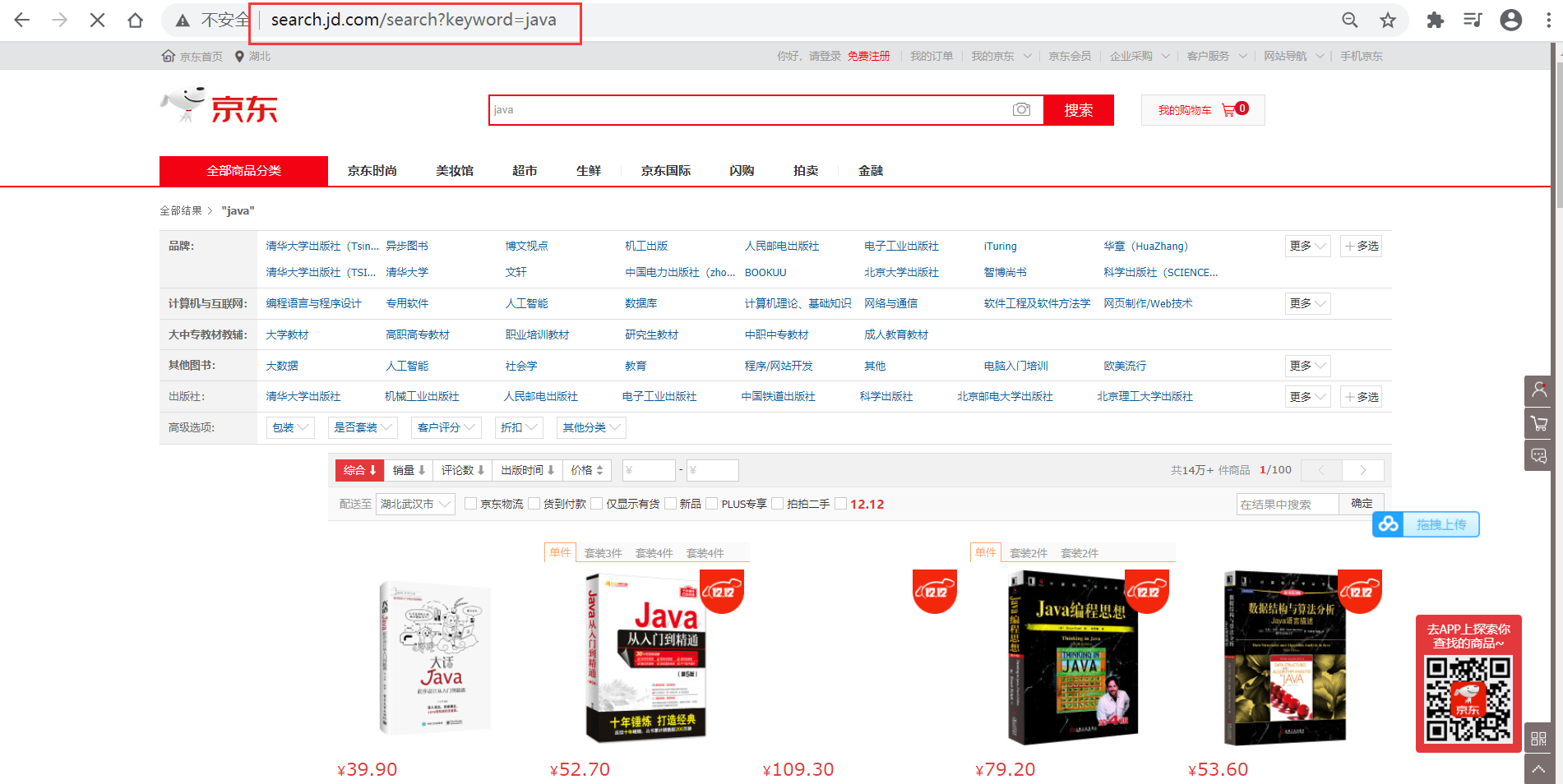
①搜索京東搜索頁面,並分析頁面
http://search.jd.com/search?keyword=java
頁面如下
審查頁面元素
頁面列表id:J_goodsList
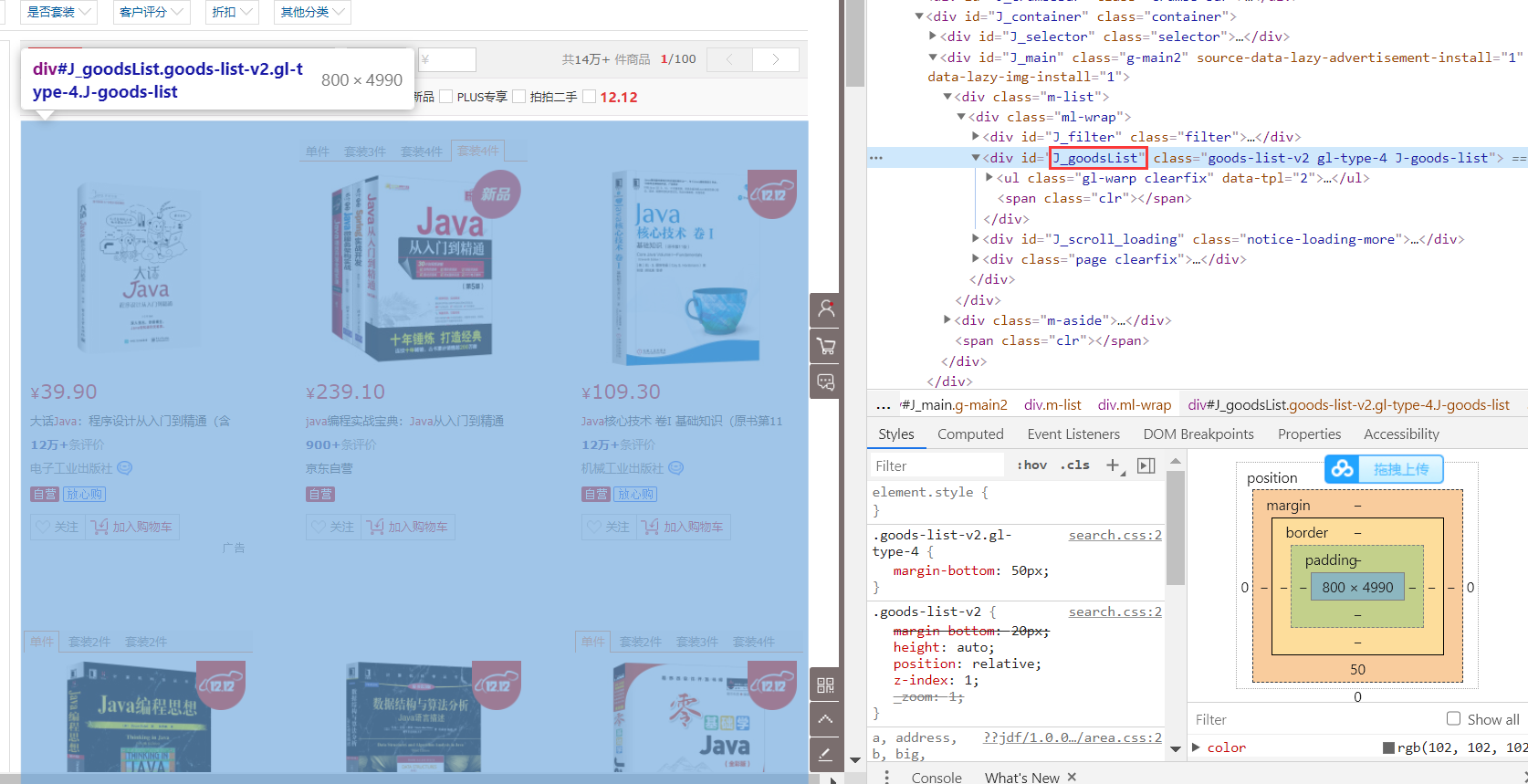
目標元素:img、price、name
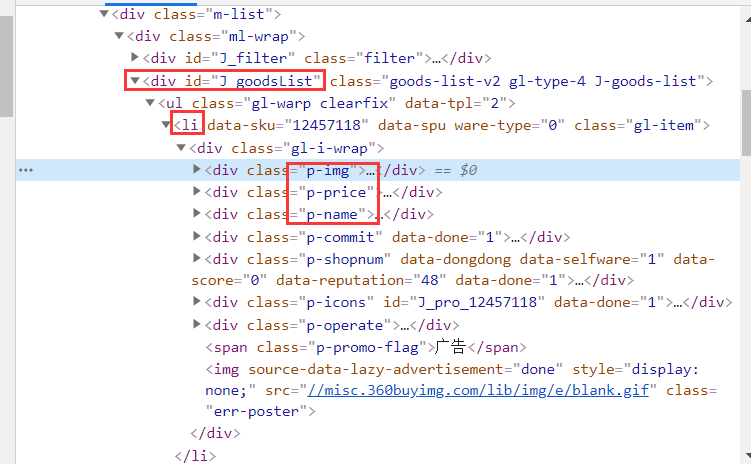
②爬取數據(獲取請求返回的頁面資訊,篩選出可用的)
創建HtmlParseUtil,並簡單編寫
public class HtmlParseUtil {public static void main(String[] args) throws IOException {/// 使用前需要聯網// 請求urlString url = "//search.jd.com/search?keyword=java";// 1.解析網頁(jsoup 解析返回的對象是瀏覽器Document對象)Document document = Jsoup.parse(new URL(url), 30000);// 使用document可以使用在js對document的所有操作// 2.獲取元素(通過id)Element j_goodsList = document.getElementById("J_goodsList");// 3.獲取J_goodsList ul 每一個 liElements lis = j_goodsList.getElementsByTag("li");// 4.獲取li下的 img、price、namefor (Element li : lis) {String img = li.getElementsByTag("img").eq(0).attr("src");// 獲取li下 第一張圖片String name = li.getElementsByClass("p-name").eq(0).text();String price = li.getElementsByClass("p-price").eq(0).text();System.out.println("=======================");System.out.println("img : " + img);System.out.println("name : " + name);System.out.println("price : " + price);}}}
運行結果
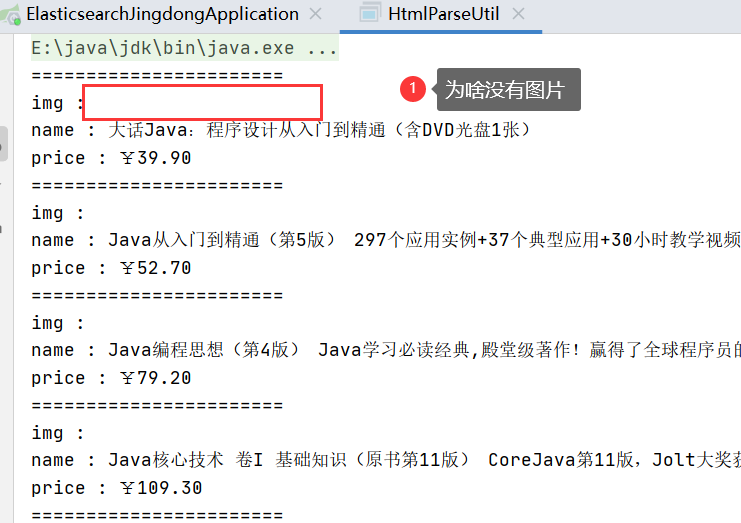
原因是啥?
一般圖片特別多的網站,所有的圖片都是通過延遲載入的
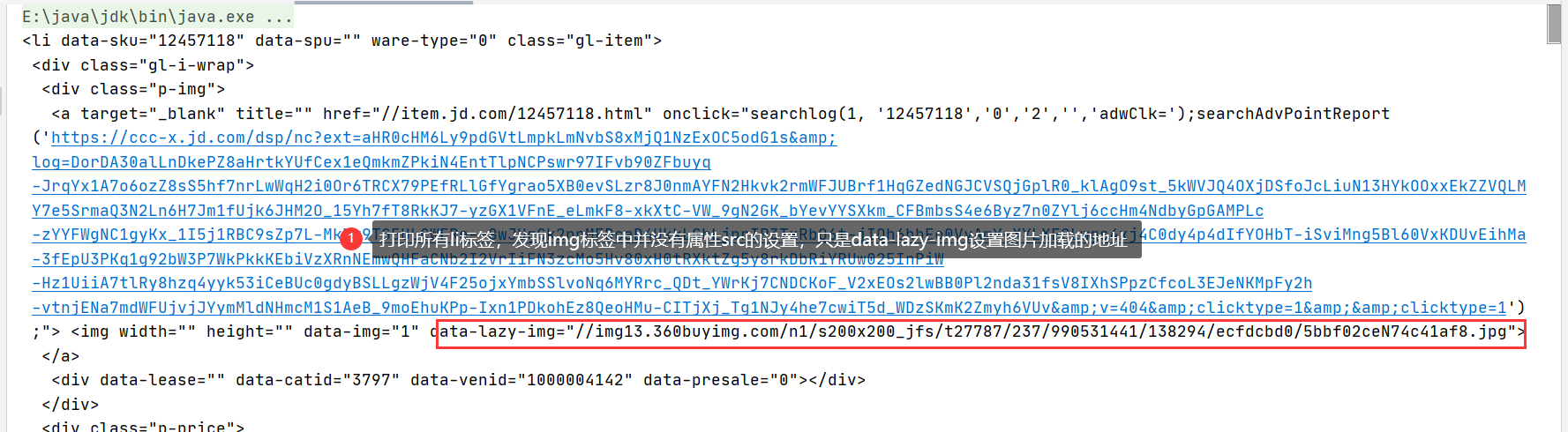
// 列印標籤內容Elements lis = j_goodsList.getElementsByTag("li");System.out.println(lis);
列印所有li標籤,發現img標籤中並沒有屬性src的設置,只是data-lazy-ing設置圖片載入的地址
創建HtmlParseUtil、改寫
-
更改圖片獲取屬性為
data-lazy-img -
與實體類結合,實體類如下
@Data@AllArgsConstructor@NoArgsConstructorpublic class Content implements Serializable {private static final long serialVersionUID = -8049497962627482693L;private String name;private String img;private String price;}
-
封裝為方法
public class HtmlParseUtil {public static void main(String[] args) throws IOException {System.out.println(parseJD("java"));}public static List<Content> parseJD(String keyword) throws IOException {/// 使用前需要聯網// 請求urlString url = "//search.jd.com/search?keyword=" + keyword;// 1.解析網頁(jsoup 解析返回的對象是瀏覽器Document對象)Document document = Jsoup.parse(new URL(url), 30000);// 使用document可以使用在js對document的所有操作// 2.獲取元素(通過id)Element j_goodsList = document.getElementById("J_goodsList");// 3.獲取J_goodsList ul 每一個 liElements lis = j_goodsList.getElementsByTag("li");// System.out.println(lis);// 4.獲取li下的 img、price、name// list存儲所有li下的內容List<Content> contents = new ArrayList<Content>();for (Element li : lis) {// 由於網站圖片使用懶載入,將src屬性替換為data-lazy-imgString img = li.getElementsByTag("img").eq(0).attr("data-lazy-img");// 獲取li下 第一張圖片String name = li.getElementsByClass("p-name").eq(0).text();String price = li.getElementsByClass("p-price").eq(0).text();// 封裝為對象Content content = new Content(name,img,price);// 添加到list中contents.add(content);}// System.out.println(contents);// 5.返回 listreturn contents;}}
結果展示

4、搜索高亮
在3、的基礎上添加內容
①ContentService
// 3、 在2的基礎上進行高亮查詢public List<Map<String, Object>> highlightSearch(String keyword, Integer pageIndex, Integer pageSize) throws IOException {SearchRequest searchRequest = new SearchRequest("jd_goods");SearchSourceBuilder searchSourceBuilder = new SearchSourceBuilder();// 精確查詢,添加查詢條件TermQueryBuilder termQueryBuilder = QueryBuilders.termQuery("name", keyword);searchSourceBuilder.timeout(new TimeValue(60, TimeUnit.SECONDS));searchSourceBuilder.query(termQueryBuilder);// 分頁searchSourceBuilder.from(pageIndex);searchSourceBuilder.size(pageSize);// 高亮 =========HighlightBuilder highlightBuilder = new HighlightBuilder();highlightBuilder.field("name");highlightBuilder.preTags("<span style='color:red'>");highlightBuilder.postTags("</span>");searchSourceBuilder.highlighter(highlightBuilder);// 執行查詢searchRequest.source(searchSourceBuilder);SearchResponse searchResponse = restHighLevelClient.search(searchRequest, RequestOptions.DEFAULT);// 解析結果 ==========SearchHits hits = searchResponse.getHits();List<Map<String, Object>> results = new ArrayList<>();for (SearchHit documentFields : hits.getHits()) {// 使用新的欄位值(高亮),覆蓋舊的欄位值Map<String, Object> sourceAsMap = documentFields.getSourceAsMap();// 高亮欄位Map<String, HighlightField> highlightFields = documentFields.getHighlightFields();HighlightField name = highlightFields.get("name");// 替換if (name != null){Text[] fragments = name.fragments();StringBuilder new_name = new StringBuilder();for (Text text : fragments) {new_name.append(text);}sourceAsMap.put("name",new_name.toString());}results.add(sourceAsMap);}return results;}
②ContentController
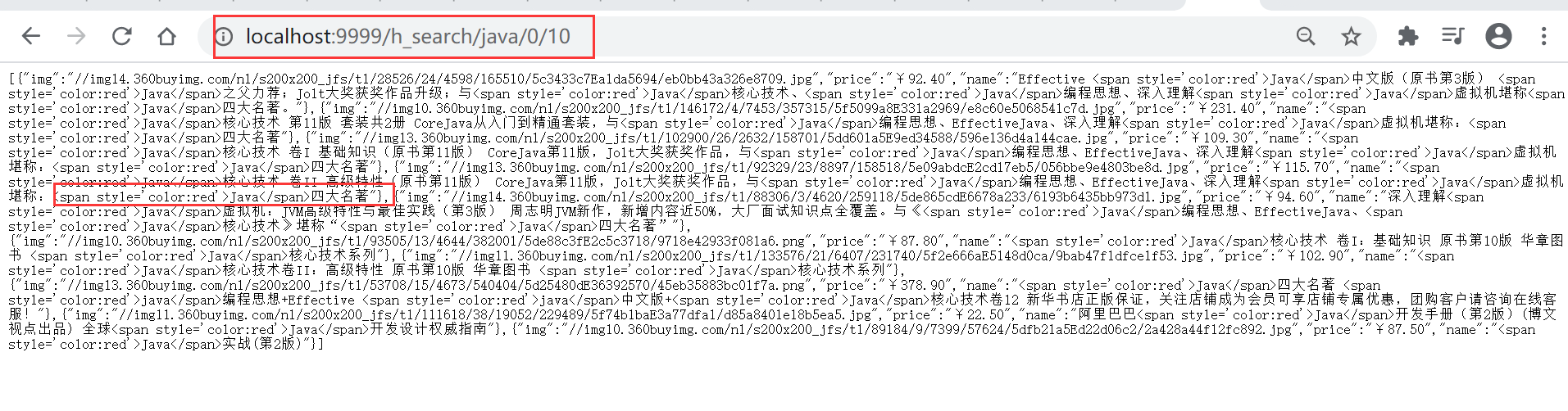
@ResponseBody@GetMapping("/h_search/{keyword}/{pageIndex}/{pageSize}")public List<Map<String, Object>> highlightParse(@PathVariable("keyword") String keyword,@PathVariable("pageIndex") Integer pageIndex,@PathVariable("pageSize") Integer pageSize) throws IOException {return contentService.highlightSearch(keyword,pageIndex,pageSize);}
③結果展示
5、前後端分離(簡單使用Vue)
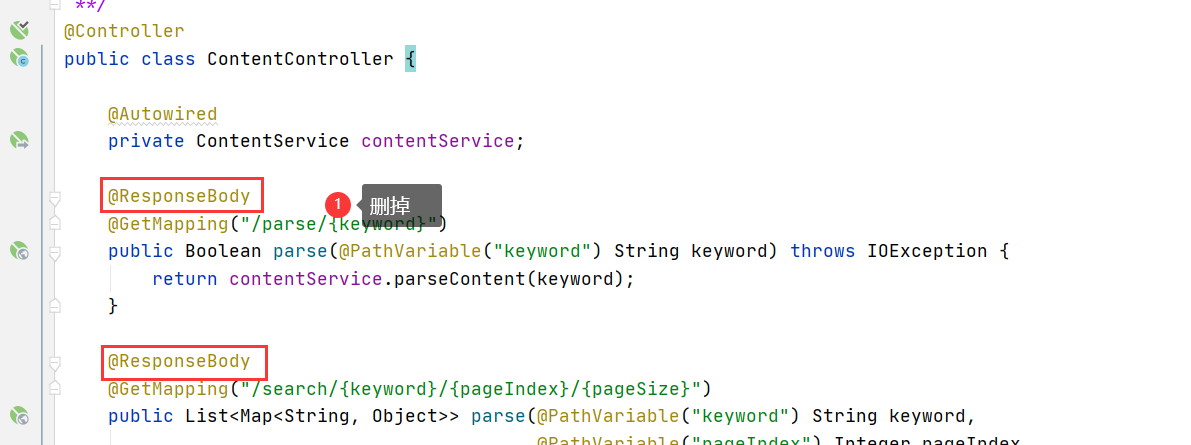
刪除Controller 方法上的 @ResponseBody註解
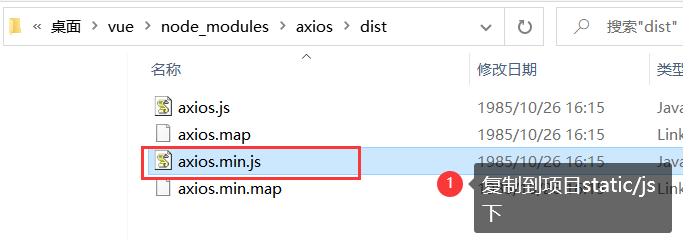
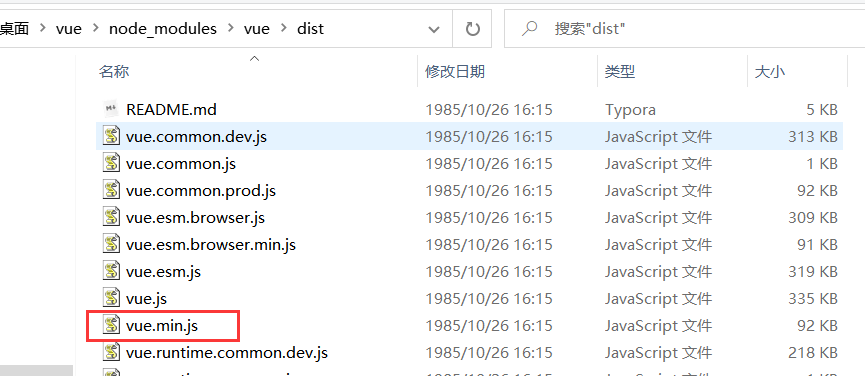
①下載並引入Vue.min.js和axios.js
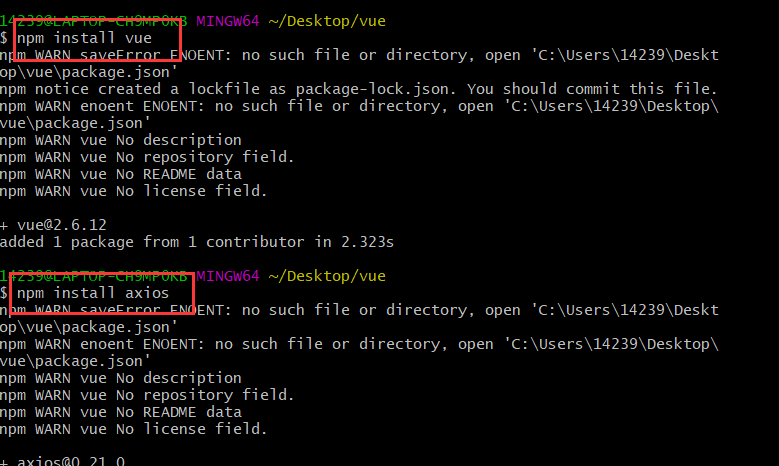
如果安裝了nodejs,可以按如下步驟,沒有可以到後面素材處下載
npm install vuenpm install axios
②修改靜態頁面
引入js
<script th:src="@{/js/vue.min.js}"></script><script th:src="@{/js/axios.min.js}"></script>
修改後的index.html
<!DOCTYPE html><html xmlns:th="//www.thymeleaf.org"><head><meta charset="utf-8"/><title>狂神說Java-ES仿京東實戰</title><link rel="stylesheet" th:href="@{/css/style.css}"/><script th:src="@{/js/jquery.min.js}"></script></head><body class="pg"><div class="page"><div id="app" class=" mallist tmall- page-not-market "><!-- 頭部搜索 --><div id="header" class=" header-list-app"><div class="headerLayout"><div class="headerCon "><!-- Logo--><h1 id="mallLogo"><img th:src="@{/images/jdlogo.png}" alt=""></h1><div class="header-extra"><!--搜索--><div id="mallSearch" class="mall-search"><form name="searchTop" class="mallSearch-form clearfix"><fieldset><legend>天貓搜索</legend><div class="mallSearch-input clearfix"><div class="s-combobox" id="s-combobox-685"><div class="s-combobox-input-wrap"><input v-model="keyword" type="text" autocomplete="off" id="mq"class="s-combobox-input" aria-haspopup="true"></div></div><button type="submit" @click.prevent="searchKey" id="searchbtn">搜索</button></div></fieldset></form><ul class="relKeyTop"><li><a>狂神說Java</a></li><li><a>狂神說前端</a></li><li><a>狂神說Linux</a></li><li><a>狂神說大數據</a></li><li><a>狂神聊理財</a></li></ul></div></div></div></div></div><!-- 商品詳情頁面 --><div id="content"><div class="main"><!-- 品牌分類 --><form class="navAttrsForm"><div class="attrs j_NavAttrs" style="display:block"><div class="brandAttr j_nav_brand"><div class="j_Brand attr"><div class="attrKey">品牌</div><div class="attrValues"><ul class="av-collapse row-2"><li><a href="#"> 狂神說 </a></li><li><a href="#"> Java </a></li></ul></div></div></div></div></form><!-- 排序規則 --><div class="filter clearfix"><a class="fSort fSort-cur">綜合<i class="f-ico-arrow-d"></i></a><a class="fSort">人氣<i class="f-ico-arrow-d"></i></a><a class="fSort">新品<i class="f-ico-arrow-d"></i></a><a class="fSort">銷量<i class="f-ico-arrow-d"></i></a><a class="fSort">價格<i class="f-ico-triangle-mt"></i><i class="f-ico-triangle-mb"></i></a></div><!-- 商品詳情 --><div class="view grid-nosku" ><div class="product" v-for="result in results"><div class="product-iWrap"><!--商品封面--><div class="productImg-wrap"><a class="productImg"><img :src="result.img"></a></div><!--價格--><p class="productPrice"><em v-text="result.price"></em></p><!--標題--><p class="productTitle"><a v-html="result.name"></a></p><!-- 店鋪名 --><div class="productShop"><span>店鋪: 狂神說Java </span></div><!-- 成交資訊 --><p class="productStatus"><span>月成交<em>999筆</em></span><span>評價 <a>3</a></span></p></div></div></div></div></div></div></div><script th:src="@{/js/vue.min.js}"></script><script th:src="@{/js/axios.min.js}"></script><script>new Vue({el:"#app",data:{"keyword": '', // 搜索的關鍵字"results":[] // 後端返回的結果},methods:{searchKey(){var keyword = this.keyword;console.log(keyword);axios.get('h_search/'+keyword+'/0/20').then(response=>{console.log(response.data);this.results=response.data;})}}});</script></body></html>
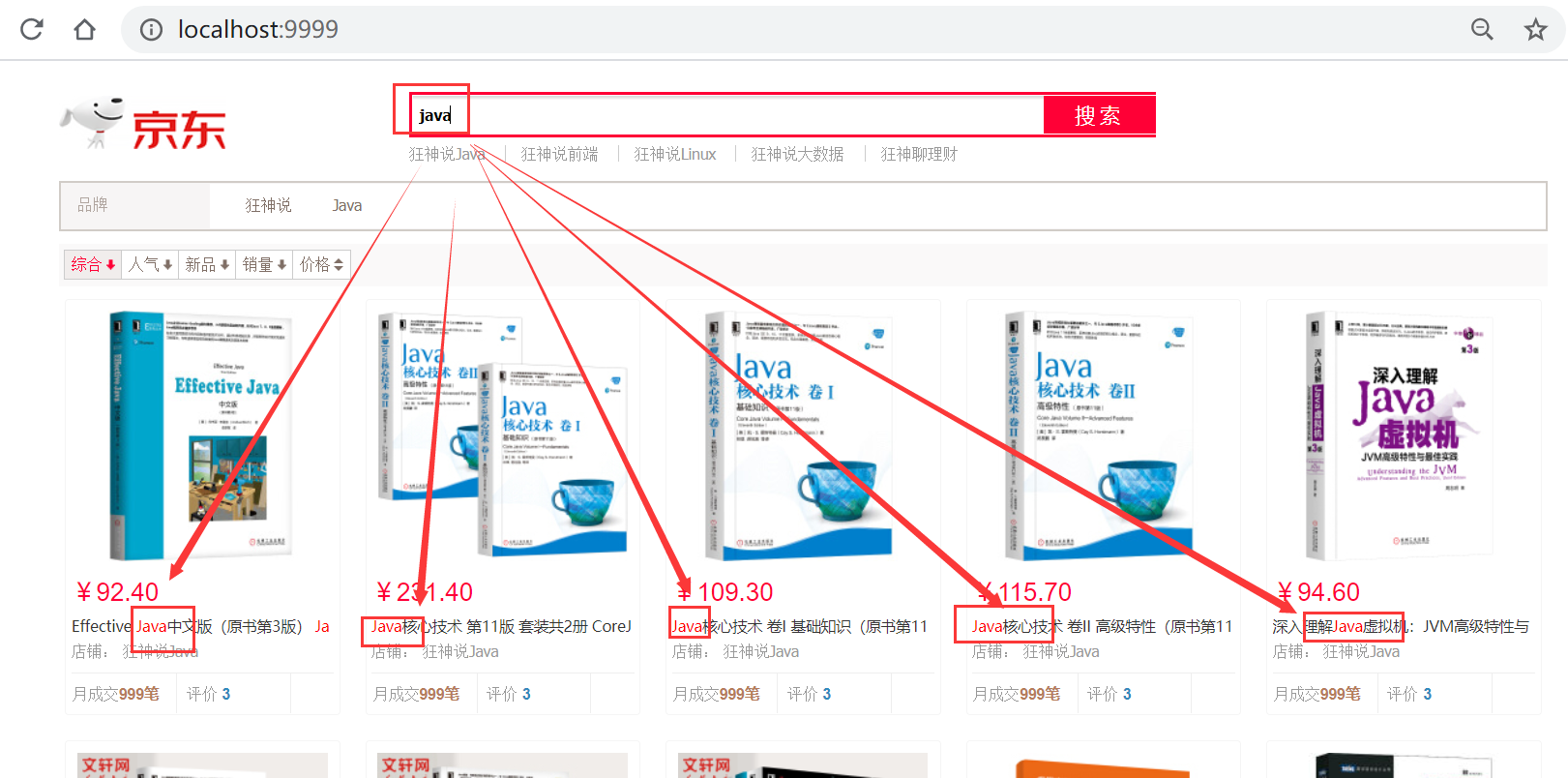
測試
安裝包及前端素材
鏈接://pan.baidu.com/s/1M5uWdYsCZyzIAOcgcRkA_A
提取碼:qk8p
複製這段內容後打開百度網盤手機App,操作更方便哦
疑惑:
1、使用term(精確查詢)時,我發現三個問題,問題如下:
-
欄位值必須是一個詞(索引中存在的詞),才能匹配
-
問題:中文字元串,term查詢時無法查詢到數據(比如,「編程」兩字在文檔中存在,但是搜索不到)
-
原因:索引為配置中文分詞器(默認使用standard,即所有中文字元串都會被切分為單個中文漢字作為單詞),所以沒有超過1個漢字的詞,也就無法匹配,進而查不到數據
-
解決:創建索引時配置中文分詞器,如
PUT example{"mappings": {"properties": {"name":{"type": "text","analyzer": "ik_max_word" // ik分詞器}}}}
-
-
查詢的英文字元只能是小寫,大寫都無效
-
查詢時英文單詞必須是完整的
版權聲明:本文為部落客原創文章,遵循CC 4.0 BY-SA版權協議,轉載請附上原文出處鏈接和本聲明,KuangStudy,以學為伴,一生相伴!

