【Azure Redis 快取】Windows和Linux系統本地安裝Redis, 載入dump.rdb中數據以及通過AOF日誌文件追加數據
- 2021 年 1 月 24 日
- 筆記
- Azure Redis, 【Azure Redis 快取】, Redis載入RDB數據AOF數據, Redis本地安裝Windows版本
任務描述
本次集中介紹使用Windows和Linux()搭建本地Redis伺服器的步驟,從備份的RDB文件中載入數據,以及如何生成AOF文件和通過AOF文件想已經運行的Redis追加數據。
操作步驟
Windows版本
| 啟動Redis-server |
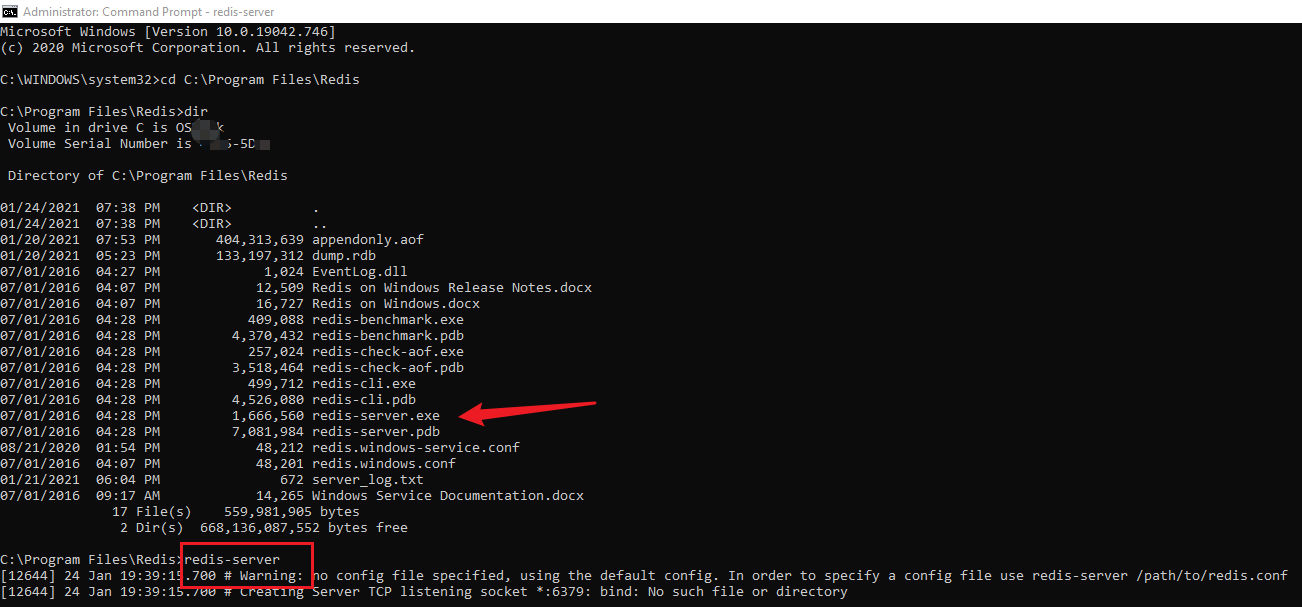
1:下載Redis for Windows的壓縮包或者安裝文件,此處通過下載zip文件作為示例://github.com/microsoftarchive/redis/releases 2:解壓壓zip包到本地Redis目錄,通過CMD命令,啟動Redis-server.exe文件。 3:新開CMD窗口。進入Reids目錄,通過redis-cli連接到Redis server。
|
| 載入dump.rdb文件 |
把準備好的RDB文件改名為dump.rdb複製到本地與Redis-server.exe同級目錄下,重新啟動redis-server.exe Redis-Server會默認從當前啟動文件夾中載入dump的文件作為初始化數據。 C:\Program Files\Redis>redis-server [32728] 24 Jan 19:56:21.300 # Warning: no config file specified, using the default config. In order to specify a config file use redis-server /path/to/redis.conf _._ _.-``__ ''-._ _.-`` `. `_. ''-._ Redis 3.2.100 (00000000/0) 64 bit .-`` .-```. ```\/ _.,_ ''-._ ( ' , .-` | `, ) Running in standalone mode |`-._`-...-` __...-.``-._|'` _.-'| Port: 6379 | `-._ `._ / _.-' | PID: 32728 `-._ `-._ `-./ _.-' _.-' |`-._`-._ `-.__.-' _.-'_.-'| | `-._`-._ _.-'_.-' | http://redis.io `-._ `-._`-.__.-'_.-' _.-' |`-._`-._ `-.__.-' _.-'_.-'| | `-._`-._ _.-'_.-' | `-._ `-._`-.__.-'_.-' _.-' `-._ `-.__.-' _.-' `-._ _.-' `-.__.-' [32728] 24 Jan 19:56:21.303 # Server started, Redis version 3.2.100 [32728] 24 Jan 19:56:22.124 * DB loaded from disk: 0.821 seconds [32728] 24 Jan 19:56:22.124 * The server is now ready to accept connections on port 6379
|
| 追加AOF數據 |
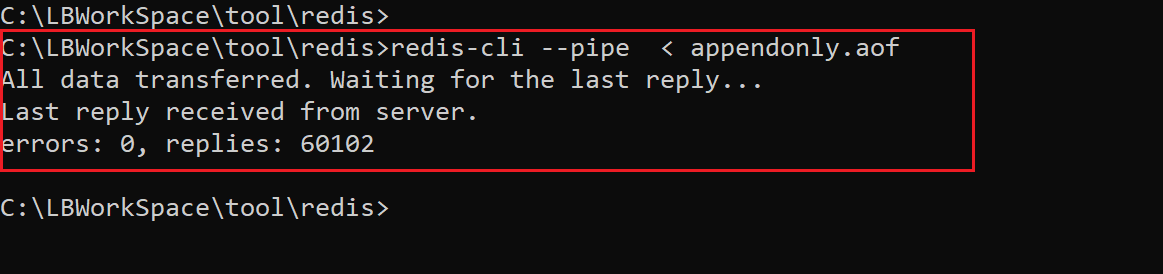
1:準備好aof文件,如無,可以通過redis命令BGREWRITEAOF生成最新的appendonly.aof文件 2:使用redis-cli --pipe命令,追加aof中的數據到Redis中。註: 此處的pipe後符號必須為 < redis-cli --pipe < appendonly.aof
|
Linux版本
| 啟動Redis-server |
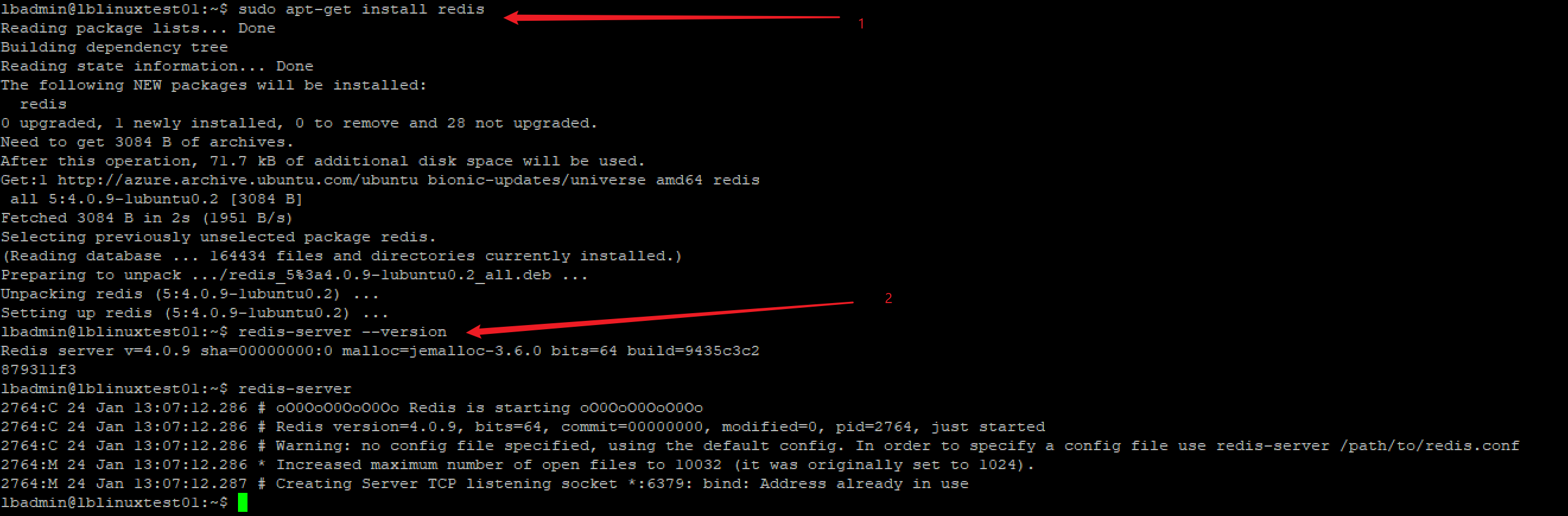
使用任何方式登錄進Linux虛擬機,如本地使用PuTTY,登錄到Linux後,完完全全參考Redis的官網啟動Reids服務://redis.io/download#installation 有三種方式安裝Reids,從源程式碼,從Ubuntu PPA和從Snapcraft
|
| 複製RDB文件進入Linux |
查看當前Linux中運行的Redis目錄,使用redis-cli連接成功後,使用config get dir命令查看。 127.0.0.1:6379> config get dir 1) "dir" 2) "/var/lib/redis" 通常來講,第二行數據的路徑為當前Redis服務的啟動路徑,把RDB文件改名為dump.rdb後複製到該目錄下 使用PSCP命令複製到/tmp目錄,然後再Linux中使用root許可權複製到/var/lib/redis目錄 #在Windows中運行pscp命令。如遇見無法訪問某個文件夾,則修改文件目錄 #如pscp: unable to open /var/lib/redis/dump.rdb: permission denied,則導入文件到/tmp目錄 pscp -pw Password "C:\Program Files\Redis\dump.rdb" username@192.168.135.195:/tmp #在Linux中運行COPY命令 |
| 載入dump.rdb文件 |
當dump.rdb文件存在於redis目錄後。重啟Reids服務即可 |
| 追加AOF數據 |
在Windows中,使用PSCP命令把準備好的AOF文件發送到Linux tmp目錄中
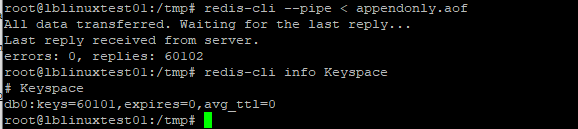
在tmp目錄下使用 redis-cli --pipe < appendonly.aof 追加aof日誌到運行的Redis中。然後通過info Keyspace查看當前的資訊
|

操作中遇見的錯誤:
1:no config file specified, using the default config. In order to specify a config file use redis-server /path/to/redis.conf
在redis的目錄文件中,已經包含了redis.windows.config文件,可以在啟動redis-server時指定config文件。如:redis-server redis.windows.conf
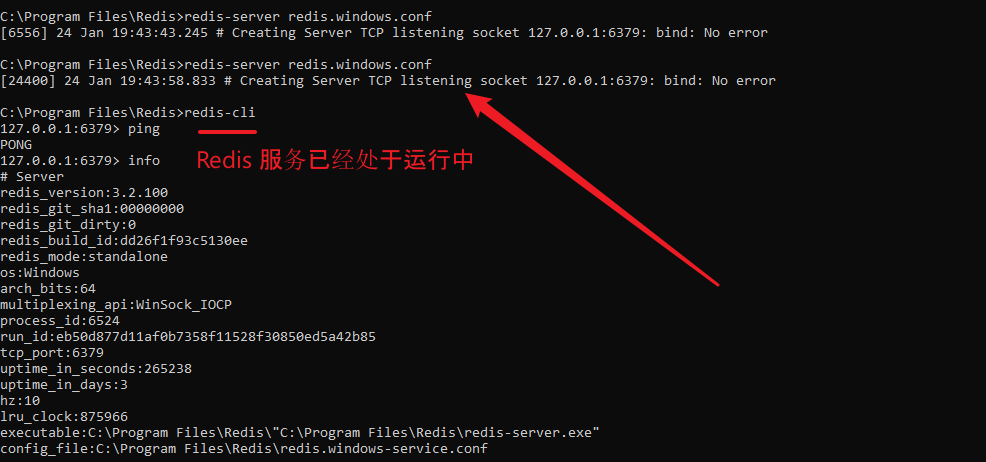
2:Creating Server TCP listening socket 127.0.0.1:6379: bind: No error
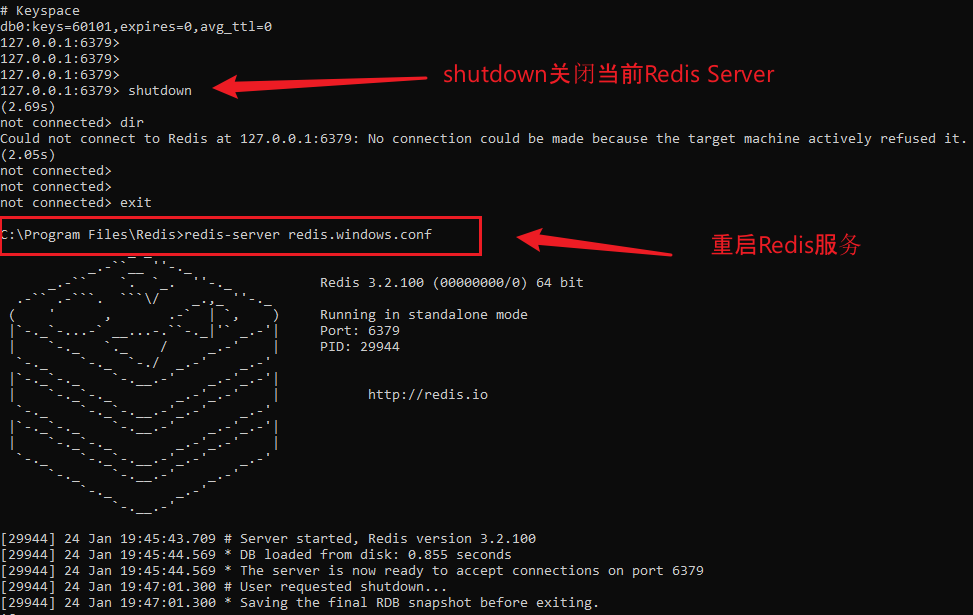
表明6379已經被佔用,可以通過redis-cli連接上去。然後執行shutdown命令關閉已經運行的Redis-server, 重啟即可。
SHUTDOWN & RESTART
參考資料:
Windows Redis: //github.com/microsoftarchive/redis/releases
Reids官網://redis.io/download#installation
Linux Copy File Command://www.cyberciti.biz/faq/copy-command/
Redis Backup://www.w3resource.com/redis/redis-backup.php
Copy File://comtechies.com/copy-files-between-windows-and-linux.html
Putty Copy File://www.ssh.com/ssh/putty/putty-manuals/0.68/Chapter5.html