【Manim CE】常用Mobject
當前文檔版本:v0.16.0.post0
VMobject
繼承自Mobject
V的意思是向量化的,vectorized mobject
fill_color=None,
fill_opacity=0.0,
stroke_color=None,
stroke_opacity=1.0,
stroke_width=DEFAULT_STROKE_WIDTH,
background_stroke_color=BLACK,
background_stroke_opacity=1.0,
background_stroke_width=0,
sheen_factor=0.0,
sheen_direction=UL,
close_new_points=False,
pre_function_handle_to_anchor_scale_factor=0.01,
make_smooth_after_applying_functions=False,
background_image=None,
shade_in_3d=False,
tolerance_for_point_equality=1e-6,
n_points_per_cubic_curve=4,
**kwargs
構造參數:
- fill_color 填充顏色
- fill_opacity 填充透明度
- stroke_color 邊框顏色
- stroke_opacity 邊框顏色透明度
- stroke_width 邊框寬度
- 註:DEFAULT_STROKE_WIDTH = 4
- background_stroke_color
- background_stroke_opacity
- background_stroke_width
- sheen_factor 物體的光澤
- sheen_direction 物體光澤的中心
- close_new_points Indicates that it will not be displayed, but that it should count in parent mobject』s path
- …
幾何
Circle 圓
manim.mobject.geometry.arc.Circle
radius: float | None = None,
color: Color | str = RED,
**kwargs,
構造參數:
- radius(float或None)圓的半徑,例如 1
- color(str或Color)圓形的顏色,例如 WHITE
- kwargs 附加參數
構造示例:
from manim import *

class CircleExample(Scene):
    def construct(self):
        circle_1 = Circle(radius=1.0)
        circle_2 = Circle(radius=1.5, color=GREEN)
        circle_3 = Circle(radius=1.0, color=BLUE_B, fill_opacity=1)

        circle_group = Group(circle_1, circle_2, circle_3).arrange(buff=1)
        self.add(circle_group)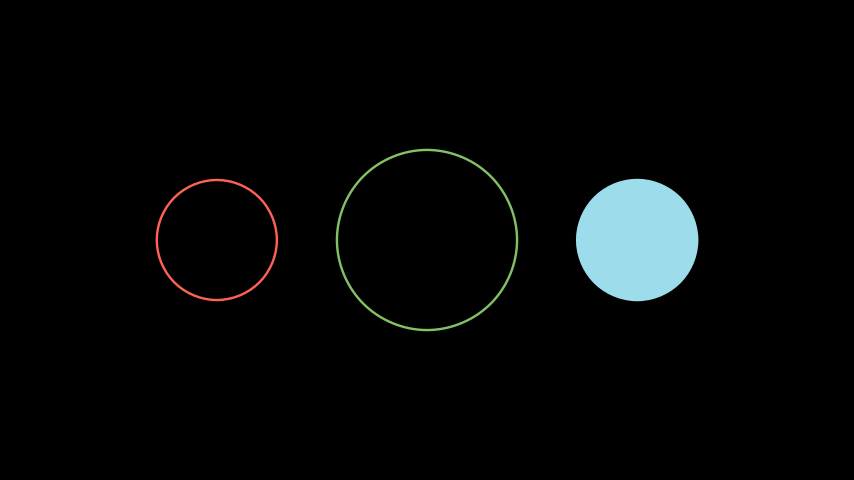
Dot 點
manim.mobject.geometry.arc.Dot
point: list | np.ndarray = ORIGIN,
radius: float = DEFAULT_DOT_RADIUS,
stroke_width: float = 0,
fill_opacity: float = 1.0,
color: Color | str = WHITE,
構造參數:
- point(數組)屏幕坐標,例如 [0,0,0]
- radius(float)點的半徑,例如 0.05
- stroke_width (float)點的輪廓寬度,例如 0.01
- fill_opacity(float)點內部的顏色,例如 YELLOW
- kwargs 附加參數
構造示例:
from manim import *

class DotExample(Scene):
    def construct(self):
        dot1 = Dot(point=LEFT, radius=0.08)
        dot2 = Dot(point=ORIGIN)
        dot3 = Dot(point=RIGHT)
        self.add(dot1,dot2,dot3)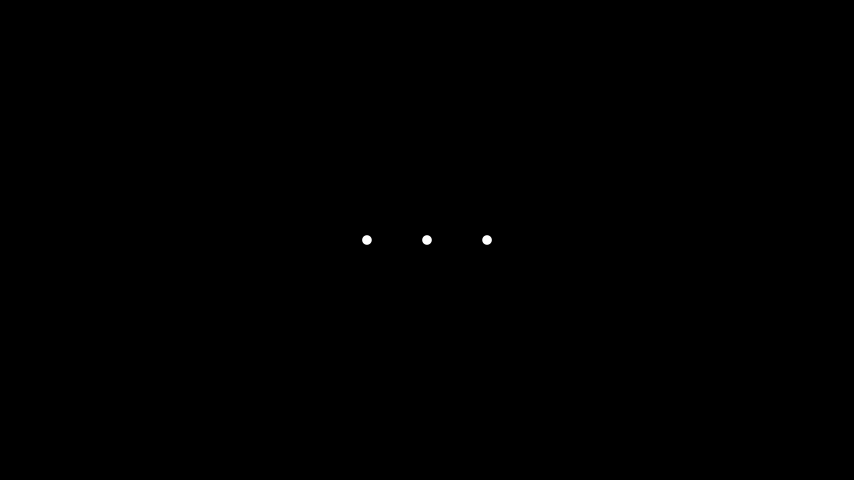
Ellipse 橢圓
manim.mobject.geometry.arc.Ellipse
width: float = 2,
height: float = 1,
**kwargs
構造參數:
- width(float)短軸
- height(float)長軸
- kwargs 附加參數
構造示例:
from manim import *

class EllipseExample(Scene):
    def construct(self):
        ellipse_1 = Ellipse(width=2.0, height=4.0, color=BLUE_B)
        ellipse_2 = Ellipse(width=4.0, height=1.0, color=BLUE_D)
        ellipse_group = Group(ellipse_1,ellipse_2).arrange(buff=1)
        self.add(ellipse_group)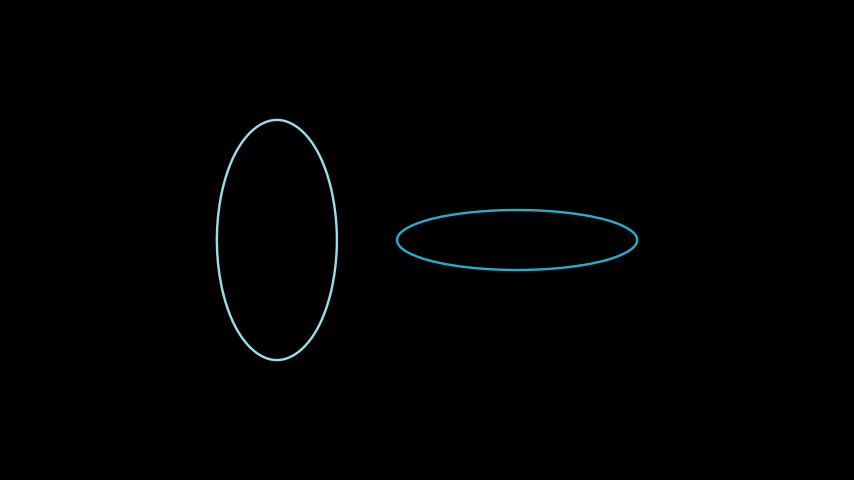
Angle 角
manim.mobject.geometry.line.Angle
line1: Line,
line2: Line,
radius: float = None,
quadrant=(1, 1),
other_angle: bool = False,
dot=False,
dot_radius=None,
dot_distance=0.55,
dot_color=WHITE,
elbow=False,
**kwargs,
構造參數:
- line1(Line)起始線
- 註:Line可以視為兩個點坐標的集合,兩點連成的線段。
- line2(Line)終止線
- 註:line1、line2兩條線不能平行
- radius(float)原點與角度弧線的距離半徑
- quadrant 角度弧線的象限,可傳入:(1,1) (1,-1) (-1,1) (-1,-1)
- other_angle(bool)從正方向畫角度弧線
- dot(bool)弧度中心標記一個點,一般用於表示角度位置
- dot_radius(float)點的半徑
- dot_distance(float)點離原點的距離
- elbow(bool)表示直角的角度折現
- kwargs 附加參數
構造示例:
from manim import *

class RightArcAngleExample(Scene):
    def construct(self):
        line1 = Line( LEFT, RIGHT )
        line2 = Line( DOWN, UP )
        rightarcangles = [
            Angle(line1, line2, dot=True),
            Angle(line1, line2, radius=0.4, quadrant=(1,-1), dot=True, other_angle=False),
            Angle(line1, line2, radius=0.5, quadrant=(-1,1), stroke_width=8, dot=True, dot_color=YELLOW, dot_radius=0.04, other_angle=True),
            Angle(line1, line2, radius=0.7, quadrant=(-1,-1), color=RED, dot=True, dot_color=GREEN, dot_radius=0.08),
        ]
        plots = VGroup()
        for angle in rightarcangles:
            plot=VGroup(line1.copy(),line2.copy(), angle)
            plots.add(plot)
        plots.arrange(buff=1.5)
self.add(plots) 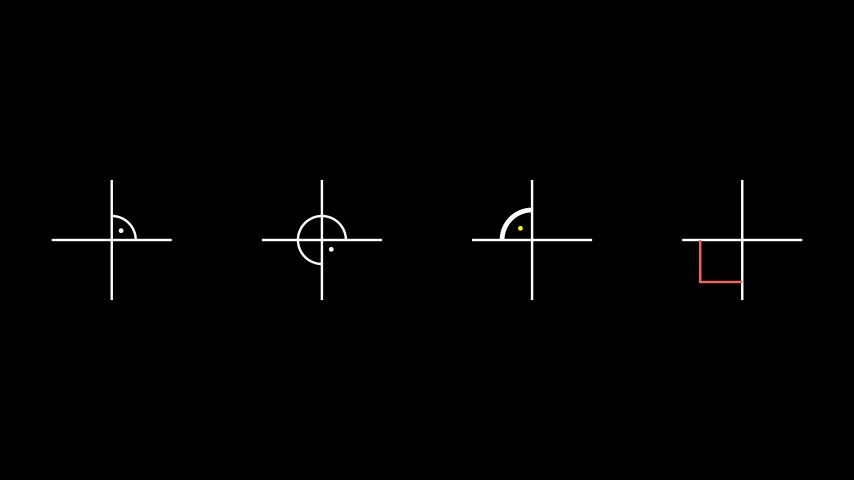
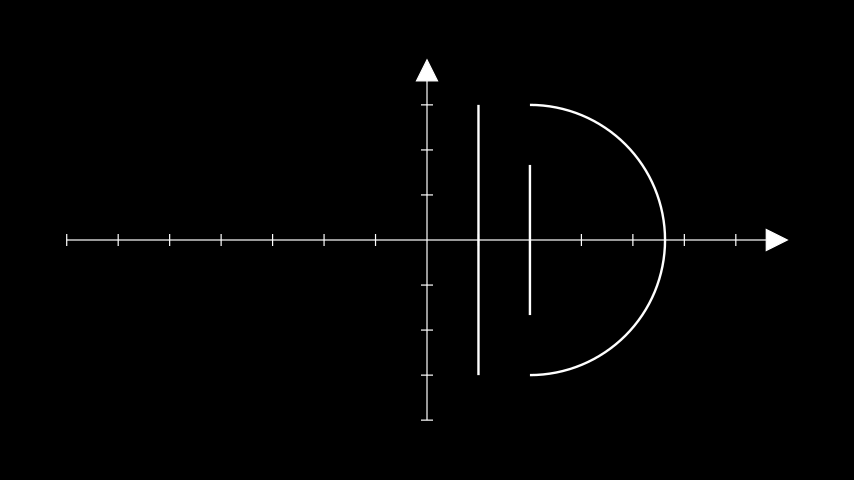
Line 線
manim.mobject.geometry.line.Line
start=LEFT,
end=RIGHT,
buff=0,
path_arc=None,
**kwargs
構造參數:
- start(list)起始點
- end(list)終點
- buff(float)兩端點與可見線的距離
- kwargs 附加參數
構造示例:
from manim import *

class LineExample(Scene):
    def construct(self):
        ax = Axes()
        line1 = Line(ax.c2p(1,-3),ax.c2p(1,3),buff=0)
        line2 = Line(ax.c2p(2,-3),ax.c2p(2,3),buff=1)
        line3 = Line(ax.c2p(2,-3),ax.c2p(2,3),path_arc=PI)
        self.add(ax,line1,line2,line3)