微软的Serialize和Newtonsoft的SerializeObject比较
- 2022 年 1 月 13 日
- 筆記
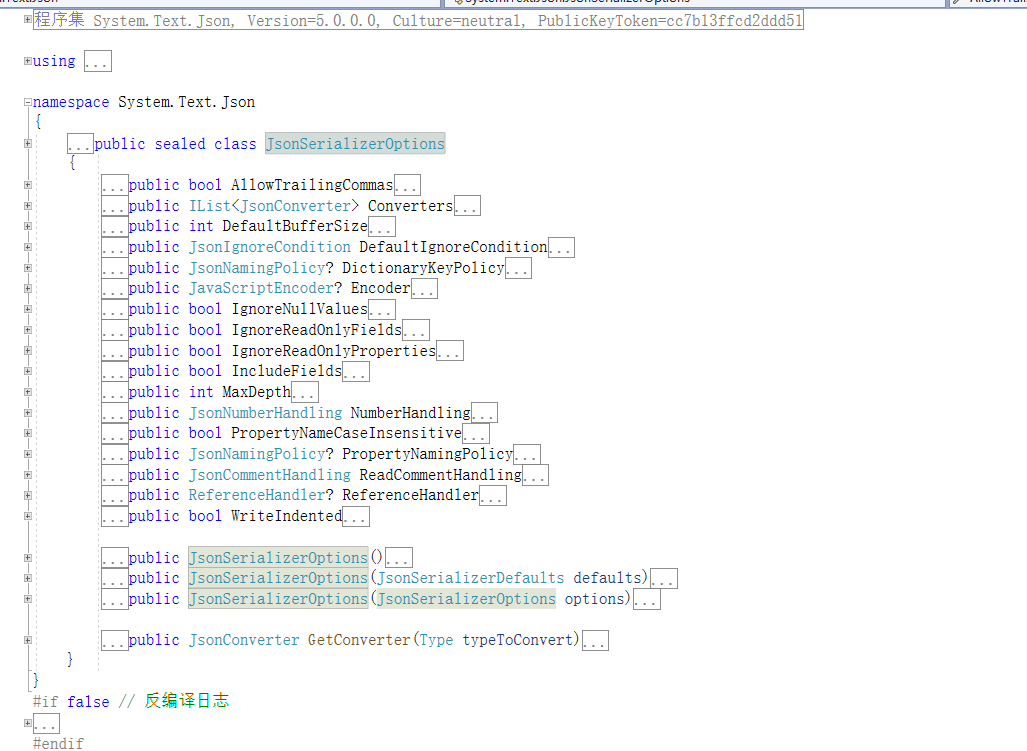
微软的序列化反序列化组件出来已有好几年了,刚出来的时候各种吐槽。最近在优化代码,比较了一下微软的Serialize和Newtonsoft的SerializeObject,感觉大部分场景下可以用微软的序列化组件了,Newtonsoft第三方可能被我放弃掉。测试有交换顺序,也有多次测试。当然如果加上JsonSerializerOptions,而且全部配置起来性能就会有所下降,毕竟这么多配置在这呢,但是这样也会更加灵活。
初步结论,在使用微软默认配置下数据量大序列化速度比Newtonsoft快了一倍。
 1 using Newtonsoft.Json;
 2 using System;
 3 using System.Diagnostics;
 4 namespace JsonTest
 5 {
 6     internal class Program
 7     {
 8         static void Main(string[] args)
 9         {
10             var count = 10_000;
11             var elapsedMilliseconds = Serialize(count, () =>
12              {
13                  JsonConvert.SerializeObject(new WeatherForecast
14                  {
15                      Date = DateTime.Now,
16                      Summary = "Hot",
17                      TemperatureCelsius = 88
18                  });
19              });
20             Console.WriteLine($"serialize object count:{count}, newtonsoft used: {elapsedMilliseconds} seconds");
21             elapsedMilliseconds = Serialize(count, () =>
22             {
23                 System.Text.Json.JsonSerializer.Serialize(new WeatherForecast
24                 {
25                     Date = DateTime.Now,
26                     Summary = "Hot",
27                     TemperatureCelsius = 88
28                 });
29             });
30             Console.WriteLine($"serialize object count:{count}, textjson used : {elapsedMilliseconds} seconds");
31             Console.WriteLine("***************************************************");
32             count = 10_000_000;
33              elapsedMilliseconds = Serialize(count, () =>
34             {
35                 JsonConvert.SerializeObject(new WeatherForecast
36                 {
37                     Date = DateTime.Now,
38                     Summary = "Hot",
39                     TemperatureCelsius = 88
40                 });
41             });
42             Console.WriteLine($"serialize object count:{count}, newtonsoft used: {elapsedMilliseconds} seconds");
43             elapsedMilliseconds = Serialize(count, () =>
44             {
45                 System.Text.Json.JsonSerializer.Serialize(new WeatherForecast
46                 {
47                     Date = DateTime.Now,
48                     Summary = "Hot",
49                     TemperatureCelsius = 88
50                 });
51             });
52             Console.WriteLine($"serialize object count:{count}, textjson used : {elapsedMilliseconds} seconds");
53             Console.ReadKey();
54             /*
55              serialize object count:10000, newtonsoft used: 288 seconds
56 serialize object count:10000, textjson used : 45 seconds
57 ***************************************************
58 serialize object count:10000000, newtonsoft used: 10324 seconds
59 serialize object count:10000000, textjson used : 5681 seconds
60              */
61         }
62
63         static long Serialize(int count,Action action)
64         {
65             Stopwatch stopwatch = Stopwatch.StartNew();
66             for(int i = count; i > 0; i--)
67             {
68                 action();
69             }
70             stopwatch.Stop();
71             var result = stopwatch.ElapsedMilliseconds;
72             stopwatch.Reset();
73             return result;
74         }
75     }
76     internal class WeatherForecast
77     {
78         public DateTimeOffset Date { get; set; }
79         public int TemperatureCelsius { get; set; }
80         public string Summary { get; set; }
81     }
82 }
微软文档里面有各种介绍,不再详述!
从 Newtonsoft.Json 迁移到 System.Text.Json – .NET | Microsoft Docs


